
Previous features and enhancements
The Genetec ClearID™ solution includes the following features and enhancements.
What's New: July 2026
- Upcoming visit reminders
- You can automatically remind visitors about an upcoming visit and any
incomplete pre-visit tasks. If a visit is created more than 48 hours before
it starts, a reminder email is sent 24 hours before the visit. The reminder
can include unsigned NDA documents, and account administrators can disable
it in the notification settings.
For more information, see Inviting visitors manually.
- Updated ClearID email notifications
- We've refreshed the look and feel of email notifications sent by ClearID. You can benefit from a more modern design and improved layout that makes information easier to read and find in visitor-related emails.
What's New: May 2026
- New custom credential type and format support
- ClearID now supports credential synchronization for FASC-N 75 bits and
FASC-N 200 bits credentials. You can also synchronize mobile, license plate,
and PIN credentials.
For more information, see Configuring credential synchronization.
- Speed up visitor check-in with pre-signed compliance documents
- Account administrators can send compliance documents to visitors for
preview and signature before the visit. Documents signed in advance are
automatically skipped during Self‑Service Kiosk check-in.
For more information, see Configuring visitor compliance document settings.
- Notify stakeholders about credential requirements for access requests
- Area owners can specify which credential types employees must use
when requesting access to areas, such as requiring license plate credentials
to access parking garages.
For more information, see Flagging required credentials for area access requests.
What's New: April 2026
- New account creation process
- ClearID orders now follow a more streamlined activation process. Once an
order is placed, partners will receive an email to activate the ClearID
account, or can activate it directly through the Subscriptions
Portal. The subscription starts at activation.
For more information, see Commissioning a system.
- Create LPR credentials
- You can now create LPR credentials for visitors using the license plate
visitor field in visit profiles for your site.
For more information, see Enabling LPR credential creation.
What's New: March 2026
- Synchronize custom credential formats
- Account administrators can now map and synchronize credentials with
custom formats across Security Center systems using ClearID.
For more information, see Configuring custom credential format synchronization.
- Personalize the ClearID portal language
- Account administrators can define a default language (culture) per
identity, and users can now override it by setting their own language
preferences.
For more information, see Configuring personal language preferences, Configuring the default portal language (culture) for identities, and Configuring the site-level notification language.
- In-depth invite permissions for sites
- Previously, you could only allow members of specific roles or all identities
in the system to invite visitors to sites. Now, Site owners can
specify which roles, identities, and site owners can invite visitors.
For more information, see Configuring planned and walk-in visits.
What's New: February 2026
- Limited account administrator permissions
- Account administrators can now modify the permissions of other
administrators in the ClearID portal, limiting the administrative tasks that
they can perform.
For more information, see Managing permissions for account administrators.
- Request access for multiple identities at once
- Previously, when requesting access for a role or identity, you could only
choose one per request. Now you can request access for up to 20 roles or
identities at a time.
For more information, see Requesting access.
- Request role membership for multiple identities at once
- Previously, when requesting role membership for an identity, you could only
choose one identity per request. Now you can request membership for up to 20
identities at a time.
For more information, see Requesting role membership.
- Indicate mandatory custom fields for visit requests
- When configuring visit profiles for your site, you can now distinguish
between optional and mandatory custom fields for planned visit event
requests. Users making visit event requests have to enter information in
mandatory fields to progress with the request.
For more information, see Configuring planned and walk-in visits.
What's New: January 2026
- Download reports as CSV
- To ensure that your organization is security-compliant, audit-ready,
Account administrators can now download all reports in the
Reports section of the Genetec ClearID™ web portal
as CSV files. You can also download the site list.
For more information, see Checking the status of access reviews and Creating sites.
- Setting expiration policies for requests
- You can now enforce a deadline for requests to ensure that they are answered
within a specified period. If a request is not answered within the specified
period, it will automatically cancel or expire. Previously, pending requests
only expired when their end date was reached.
For more information, see Setting expiration policies for requests.
- Hide private roles from requests
- Roles that have private visibility are now hidden in the access request and
role membership request dialogues.
For more information, see Adding roles.
What's New: December 2025
- Schedule independent role access reviews
- To ensure security compliance and audit readiness, you can now set up role
access reviews to occur at scheduled intervals. You no longer need to
schedule an area access review to schedule a role access review. Instead,
you can schedule the different types of access reviews independently.
For more information, see Scheduling role access reviews.
- Verify access reviews
- To further ensure security compliance or audit readiness, you can now assign
verifiers to area and role access reviews. Verifiers provide a second-level
review and can accept or deny decisions made by the access reviewers.
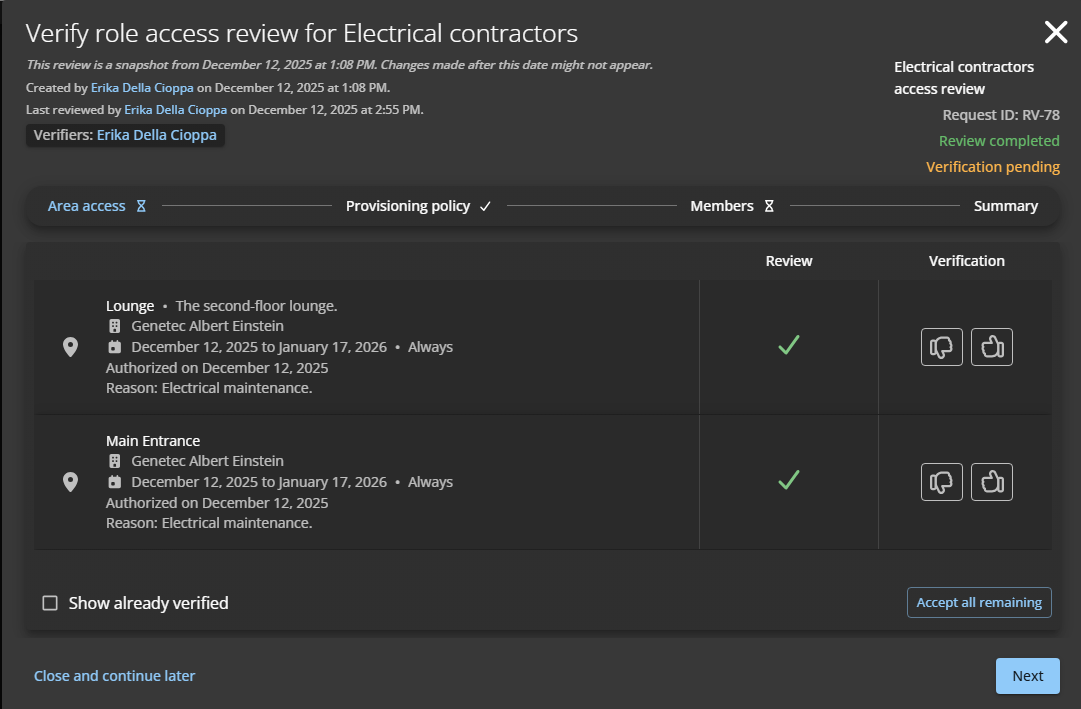
For more information, see Verifying an area access review and Verifying a role access review.
What's New: November 2025
- CSV drop synchronization
- You can now use ClearID Cloud CSV synchronization to synchronize identity
information from one or more third-party systems into ClearID. ClearID
monitors your exported CSV files and automatically updates identities when
changes are detected.
For more information, see Synchronizing identities using Cloud CSV.
- Customized SMS alerts for visit hosts
- You can now customize the SMS alerts that are sent to visit hosts when
visitors check in. Site owners can write new SMS alerts with
pre-defined variables to give hosts information about where visitors have
checked in, how to contact them, and more.
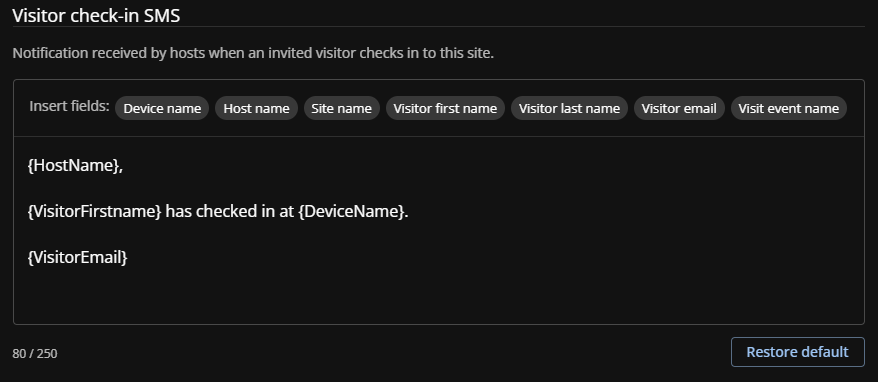
For more information, see Customizing SMS alerts.
What's New: September 2025
- Custom identity field-based provisioning policies
- You can now use custom identity fields when creating provisioning policies
to automatically assign people to specific roles based on their identity
attributes. If the custom field value changes, the system automatically
adjusts their access.
For more information, see Configuring role-based access control policies and About identity custom fields.
- Delete sites
- As an Account administrator you can delete sites that are no longer
needed in your organization from the ClearID portal. Note that to delete a
site, you must first delete its areas.
For more information, see Deleting sites.
- Request role membership
- You can request role membership for yourself, another identity, or a team
member, using the ClearID self-service portal. Requests follow the approval
workflow configured for the role, and the system can automatically approve
requests made by individuals belonging to specific user profiles or
roles.
For more information, see About role membership request workflow and Requesting role membership.
- Duplicate access notification
- ClearID now flags when an access request is being made for identities or
roles that already have access to an area during the selected period. The
warning message is for notification purposes only and does not prevent the
requester from submitting the access request.
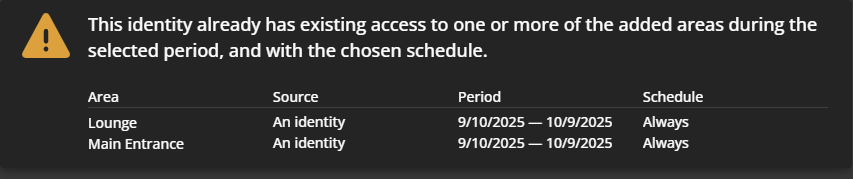
For more information, see Requesting access.
What's New: August 2025
- Simplified identity management
- You can now use the Native Microsoft Entra ID integration in the ClearID
portal to synchronize identity attributes from an external data source into
ClearID. These attributes can then be used in ClearID to assign people to
roles and automate role-based access control.
For more information, see Synchronizing identities using Microsoft Entra ID.
What's New: July 2025
- Updated part numbers
- Genetec™ has updated and simplified ClearID part numbers to support changes
in pricing for ClearID systems. There are now fewer part numbers required to
build your system.
For more information, see License options and Self-Service Kiosk options.
- Create custom identity fields
- As an Account administrator, you can now create and manage custom
fields for identities directly in the ClearID web portal. With custom
identity fields, you can store extra information like vehicle profiles,
employee types, worker schedules, and more for all identities.
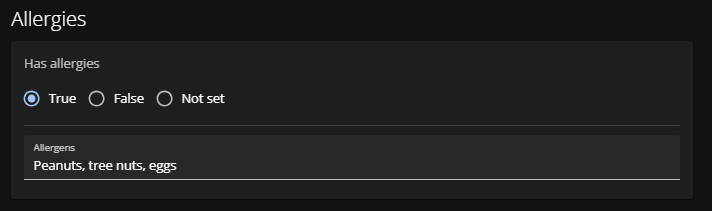
For more information, see About identity custom fields and Creating identity custom fields.
- Skip access request approval workflow
- You can now exclude users and roles from the access request approval
workflow for an area. For example, you can decide to bypass the workflow and
automatically approve access requests for people who belong to a specific
role, like Upper Management.
For more information, see Creating exceptions to the access request approval workflow.
- Save visitor photos
- You can now save photos of visitors taken during check-in to the Genetec
ClearID™ web portal. You can access saved photos for incident management and
auditing purposes by going to .
For more information, see .
What's New: June 2025
- Change visible request types
- As an Account administrator, you can configure permitted request
types for users, limiting the types of requests users can make in the
ClearID web portal.
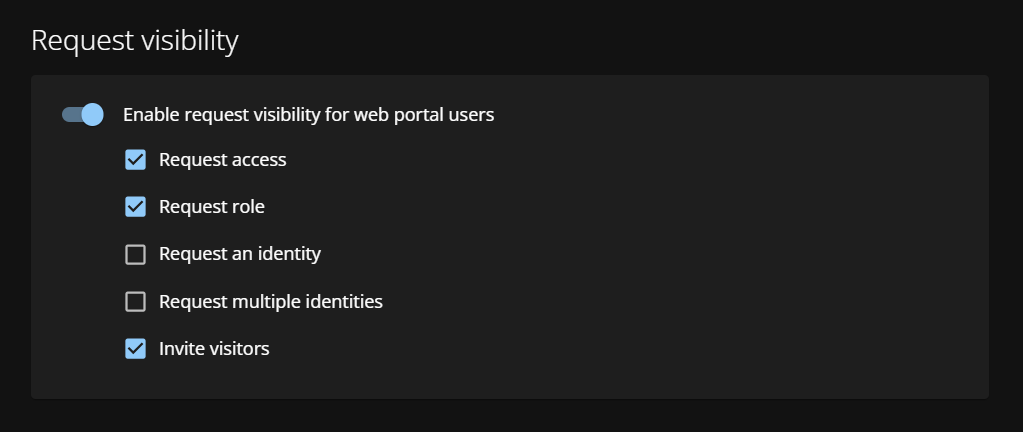
For more information, see Setting request visibility for users.
What's New: May 2025
- Visit event logs
- Account administrators, Site owners, and hosts can track
operator and visitor actions on check-in devices and export lists of invited
visitors who didn’t check in.
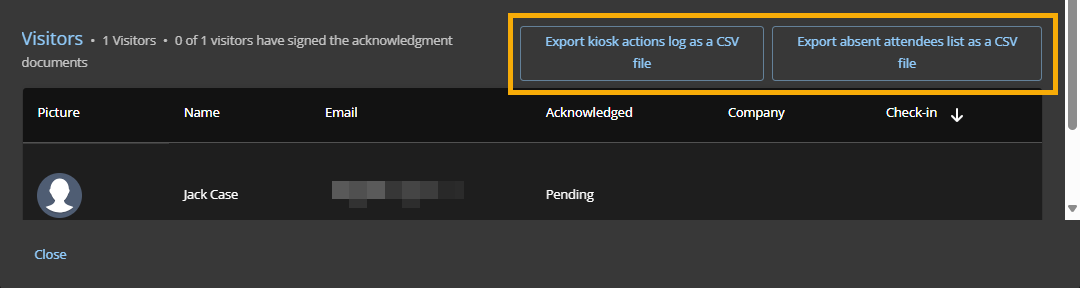
For more information, see About visit event logs and Viewing visit event logs.
- Account-level notification preferences
- Account administrators can manage the default email notification
preferences for all ClearID portal users and decide which stakeholders
receive notifications. You can also configure whether users can opt out of
certain email notifications in their personal email notification
preferences.
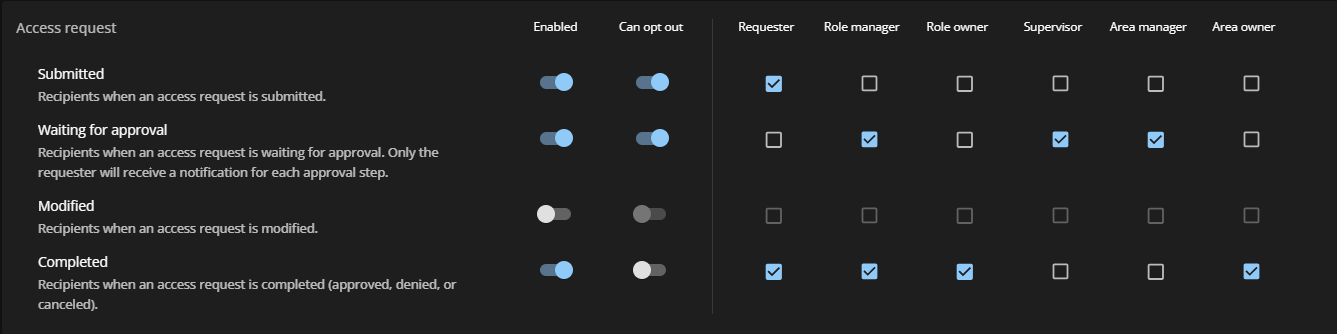
For more information, see Configuring email notification preferences (administrator).
- Add visit events to your calendar
- Hosts and guests can now keep track of events by adding visits to their
digital calendars using the ICS files attached to visit confirmation
emails.
For more information, see Adding visit events to your calendar.
What's New: January 2025
- Check visitors in using ClearID mobile operator check-in
- Previously, visitors could only check in to events using the Self-Service
Kiosk iPad. Now, receptionists, security guards, and attendants at hosted
events can quickly check visitors in using the ClearID Self Service Kiosk
app on an iPhone. Mobile operator check-in uses the iPhone to scan QR codes
and look up visit information.
For more information, see About mobile operator check-in and Configuring mobile operator check-in.
- Make informed decisions when granting employees access
- You can now specify that employees upload supporting documents when
submitting access requests for secure areas where specialized certifications
are required to gain access. Site owners and Area approvers
can review submitted documents to ensure that employees requiring access
comply with industry regulations and company policies before granting them
access.
For more information, see Configuring access request documents for sites and Configuring access request documents for areas.
- Ensure visitors comply with site requirements
- You can now specify that visitors read and sign required compliance
documents during a Self-Service Kiosk check-in. Account
administrators can add up to five documents to the Kiosk, including
non-disclosure agreements, waivers, on-site instructions, and more.
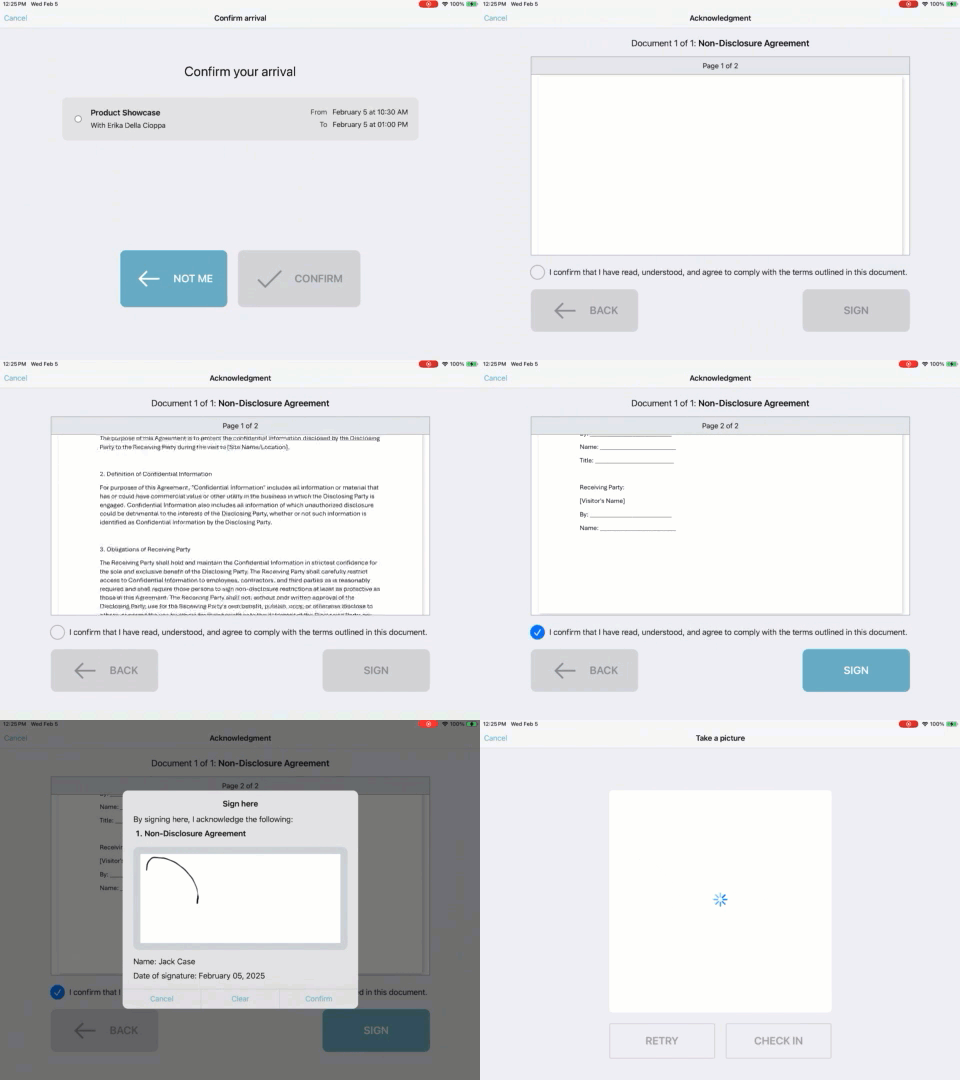
For more information, see Adding PDF acknowledgment documents to the Self-Service Kiosk.
- Visitors can reprint badges
- Visitors can now reprint lost or damaged badges directly from the
Self-Service Kiosk. As a Site owner, you can activate the
Re-print badge option so that visitors can return
to the Kiosk to reprint their temporary badge.
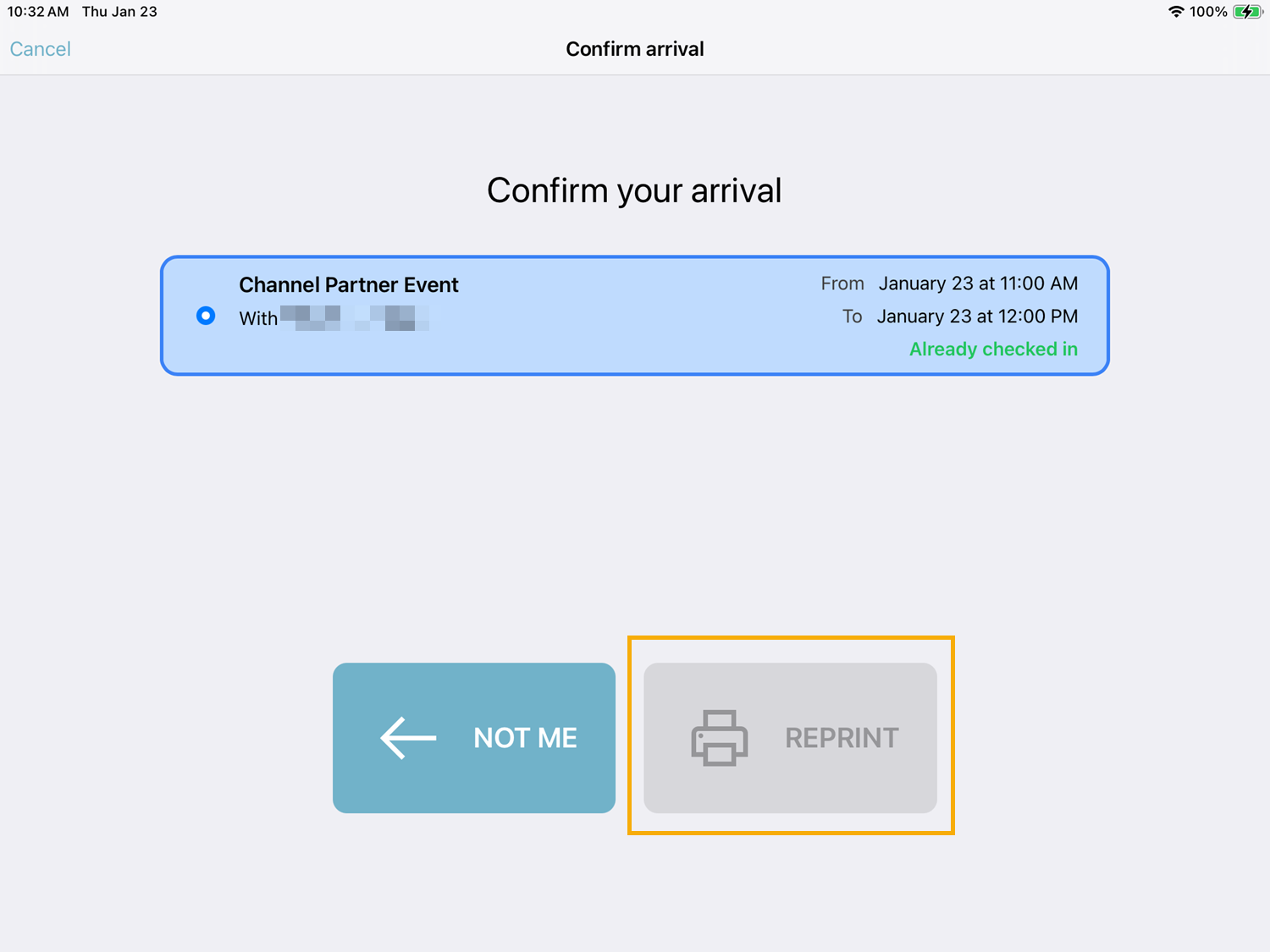
For more information, see Activating badge reprints.
- Protect visitor privacy
- Site owners can now deactivate photo-taking during visitor check-in
at the Self-Service Kiosk.
For more information, see Disabling visitor photo during check-in.
What's New: December 2024
- Keep track of your pending tasks
- You can now receive Weekly Activity Summary emails every Monday detailing
pending tasks or requests that require approval. You won’t receive these
emails if you don’t have any pending tasks or requests. To manage your email
preferences, go to .
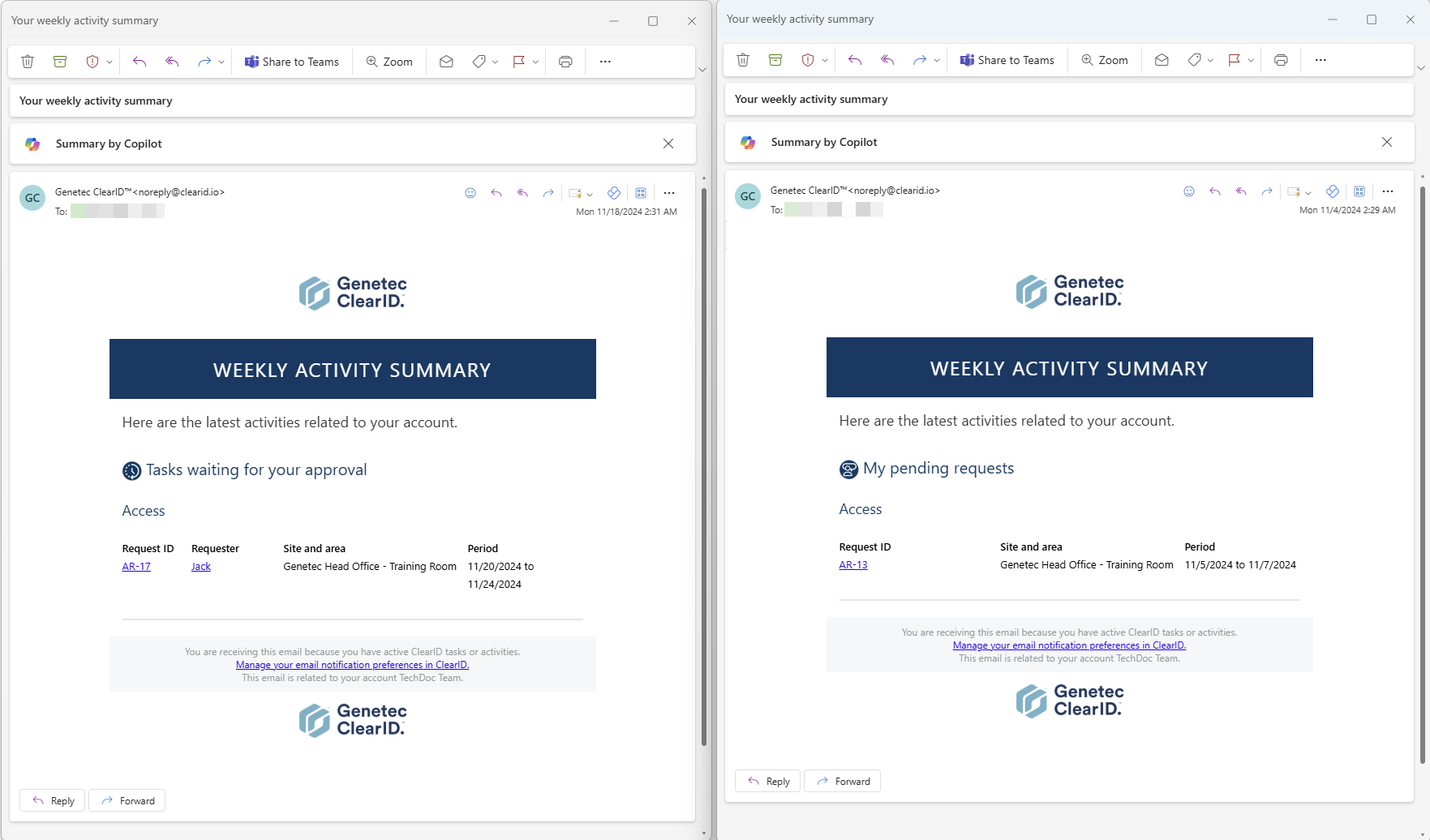
For more information, see About email notifications and Configuring your email notification preferences.
What's New: October 2024
- Synchronize ClearID identity pictures with Security Center
- Account administrators can now set ClearID as the preferred data
source for all cardholder pictures in Security Center. You can activate
identity picture synchronization to automatically replace cardholder
pictures in Security Center with ClearID identity pictures.Note:ClearID identity pictures have a maximum size of 5 megabytes.
For more information, see Synchronizing identity pictures with Security Center.
- Personalize notification email header and footer text
- Account administrators and Site owners can now customize the
header and footer text of email notifications. Use the custom text fields to
communicate information to visitors such as equipment or documentation
requirements for their visit or steps to complete before arrival.
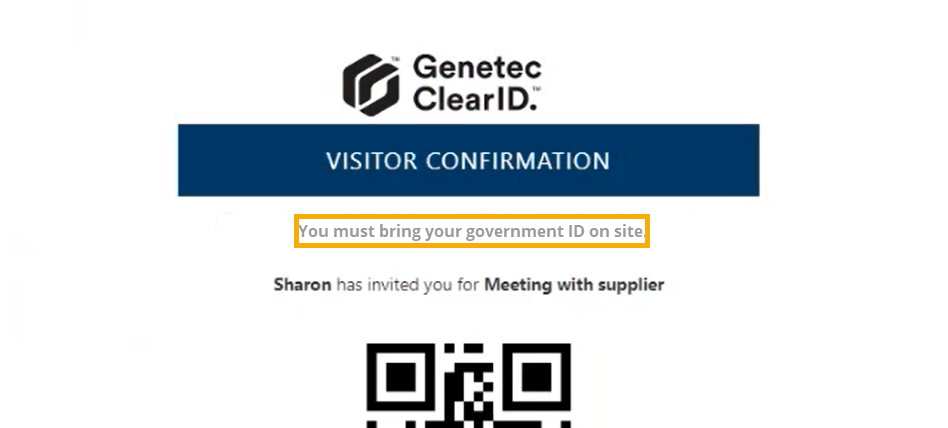
For more information, see Customizing email notifications for sites.
- ClearID Self-Service Kiosk mobile app version 2.2 is now available
- The latest update includes bug fixes and improved diagnostics for visit
events. Core functionality of the kiosk remains the same.
To download the ClearID Self-Service Kiosk mobile app, visit the App Store.
IMPORTANT: User interface changes
- Language and region settings and notification settings have moved
- Previously language and region settings and notification settings were
configured by Account administrators or Site owners by
clicking . Now, these settings are configured in the
Notifications tab by clicking .
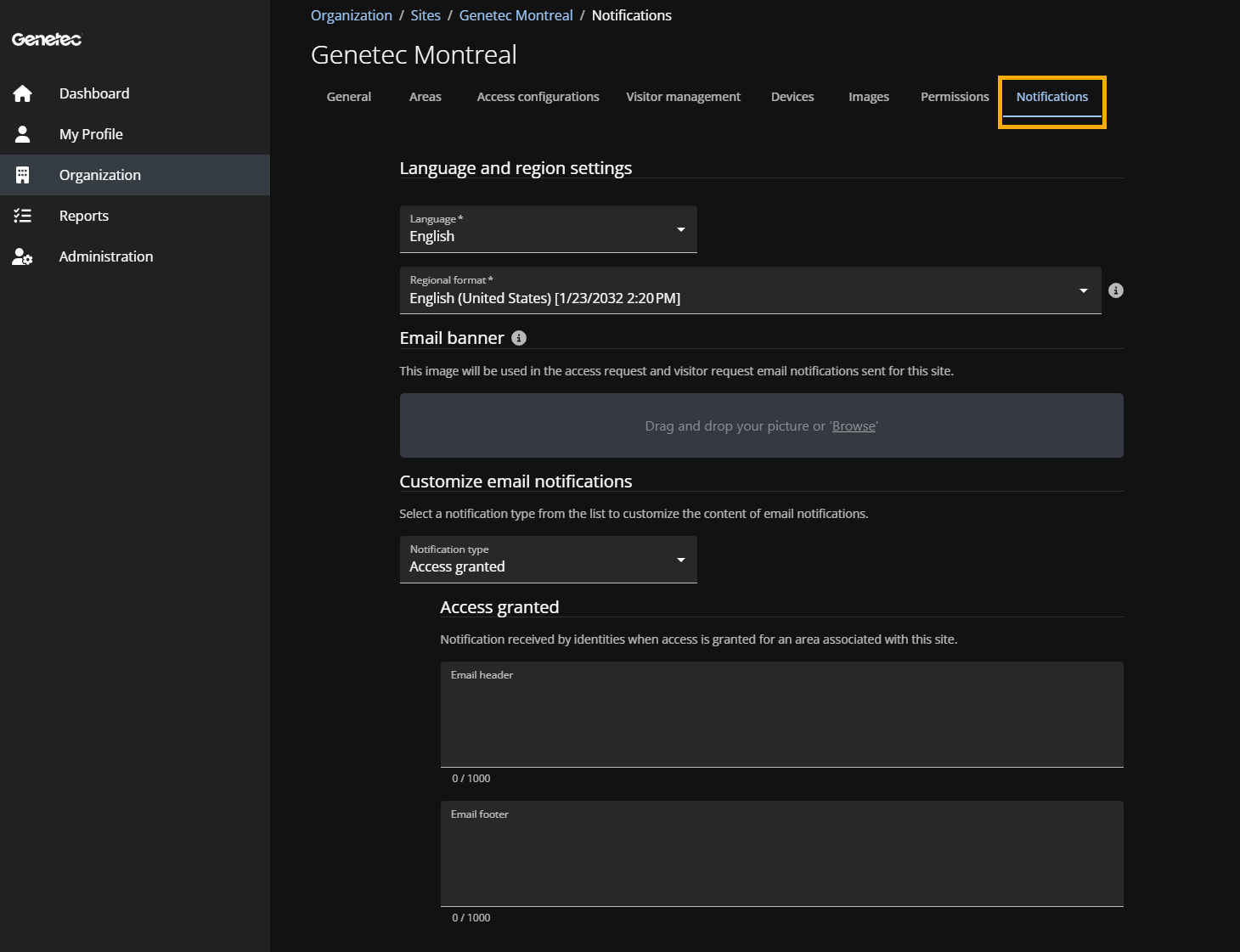
For more information, see Creating sites and Modifying sites.
What's New: September 2024
- Cardholder credential synchronization
- ClearID accounts connecting to multiple Security Center systems now have a
new configuration setting. Administrators can now specify the Security
Center system that is the source of credentials synchronized to other
systems. This option makes credential synchronization automatic and
predictable and can give employees access to multiple sites with a single
access card.
For more information, see Configuring credential synchronization.
- Simplified identity management
- You can now use the System for Cross-domain Identity Management (SCIM)
integration to synchronize system attributes from an external data source
into ClearID. These identity attributes can then be used in ClearID to
assign people to roles and automate role-based access control.
For more information, see Synchronizing identities using the SCIM integration.
- ClearID Self-Service Kiosk mobile app version 2.1.2 is now available
- The latest update includes performance and scalability improvements, bug
fixes, and some minor changes to the user interface. Core functionality of
the kiosk remains the same.
To download the ClearID Self-Service Kiosk mobile app, visit the App Store.
- Help menu link customization
- Account administrators can now customize the ClearID Help menu links,
directing portal users to your company’s support pages and resources.
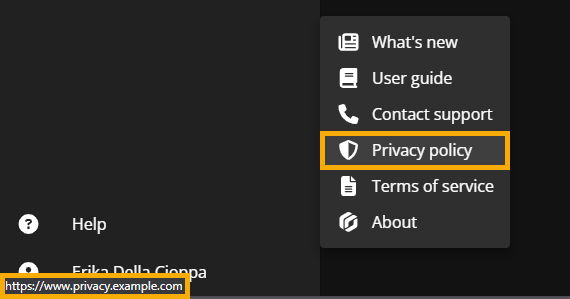
For more information, see Customizing help menu links.