
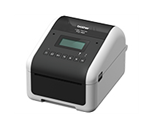
Configuring the Self-Service Kiosk label printer (Brother TD-4550DNWB )
2026-08-11Last updated
To enable high-volume badge printing for visitor check-ins, you must configure the Brother TD-4550DNWB label printer connection in Genetec ClearID™.
Before you begin
What you should know
- Use only one label printer per kiosk and pair the printer with the kiosk using Bluetooth.
- If you need multiple kiosk devices to share a single label printer, or if the printer must be placed far from the kiosks, use a Wi-Fi or Ethernet connection.For example, you might have two kiosks at the building entrance and one label printer located at the reception desk.
Procedure
Choose one of the following:
After you finish
For more information, see Brother TD-4550DNWB Quick Setup Guide and Brother TD-4550DNWB User Guide.