
About access reviews
Access reviews are evaluations of area, role, or identity access that help confirm whether access is still required and valid. To support compliance and audit readiness, you can schedule access reviews, complete them manually, and track review history in Genetec ClearID™.
Traditionally, security personnel manually export a list of access and send it to area owners to review twice a year, or every quarter.
In Genetec ClearID™ these access reviews can be scheduled (automated) or initiated manually. A Site manager or owner is responsible for configuring access review frequency or manually initiating access reviews to ensure that the review process occurs on time.
- Site owners: Access reviews are displayed in the Access reviews report.
- Area managers or role managers: Area access reviews are displayed in My Tasks and notification emails.
- Supervisors: Identity access reviews are displayed in My Tasks and notification emails.
Only Site owners can access the Access review reports. Area managers can only access reviews for areas that they manage. Supervisors can only access reviews for their direct reports.
- You cannot schedule a review for a site that has no areas.
- If a role or group is associated with an area or room, you can opt to automatically include the role or group as part of the area review.
- You can also add verifiers to access reviews to provide a second-level review of access for an area.
- Completed reviews are stored for audit and tracking purposes.
Scheduled access reviews
- A site access review for a Server Room area could be scheduled to occur Yearly. For example, at quarterly intervals, on the first day of the month at 08:00.
- A site access review for a Data Center area could be scheduled to occur Monthly. For example, on the first day of every month at 08:00.
You can view a report of all scheduled access reviews and download a CSV copy by going to .
Manual access reviews
You can start an access review manually using the Now schedule when required, to ensure security compliance and audit readiness. Typically, manual access reviews are used to test reviews in preparation for an annual review or scheduled reviews, or to force a review after an incident.Access review email notifications
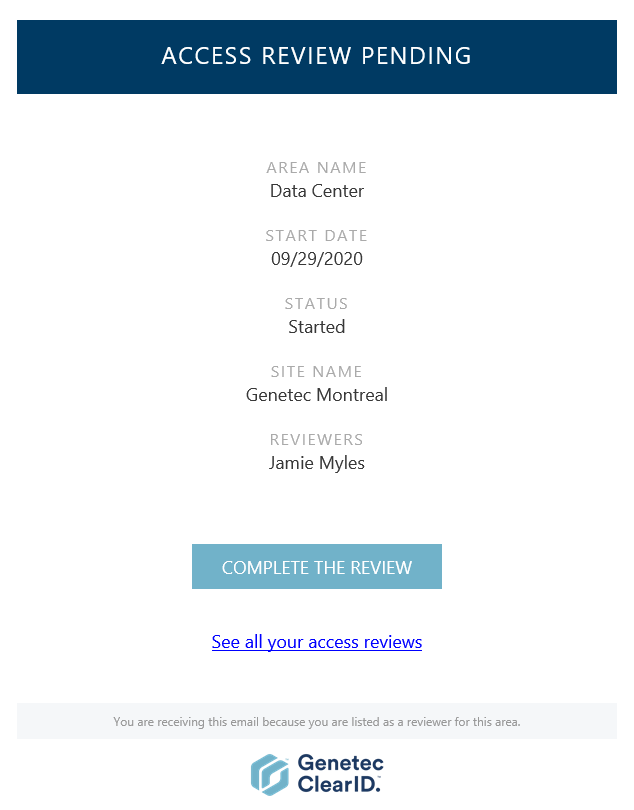
- When the COMPLETE THE REVIEW hyperlink is clicked, the access review detailed in the email notification is displayed and ready for review.
- When an Area manager or Role manager clicks the See all your access reviews hyperlink, the My access reviews page is displayed. This view only displays access reviews relevant to the approver.
Access review email notification reminders are sent every 7 days. Access review email notifications are sent from [email protected]. Check your spam or junk folder if email notifications are not received.
Incomplete access reviews are automatically marked Expired if a newer scheduled review with the same name replaces them, or if expiration is enforced and the review exceeds the set expiration period.
Completed reviews are stored for audit and tracking purposes. Reviews can’t be edited after completion.
Access reviews history log
The History section of each access review logs all modifications made to the access review by Account administrators and Site owners. Decisions taken by reviewers and verifiers also appear in the history log.