Retrieving your Okta synchronization public key
2026-09-03Last updated
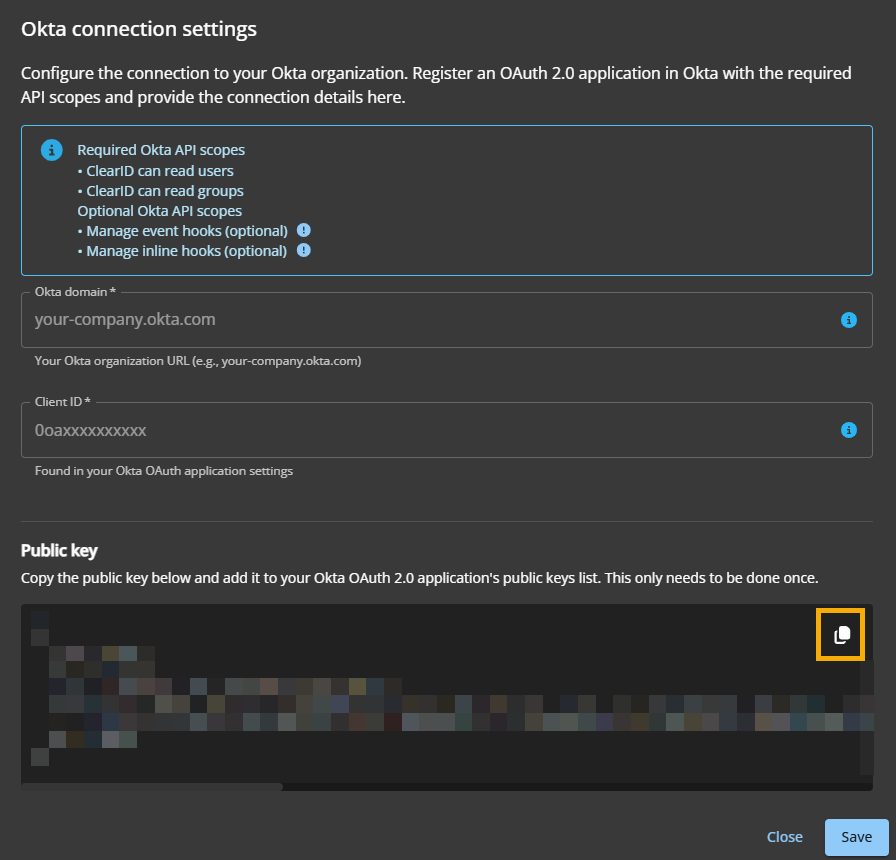
To configure your Okta application and synchronize identity information between Okta and Genetec ClearID™, Account administrators and IT security personnel must retrieve the public key from the ClearID portal.
Before you begin
Procedure
-
Click Configure (
 ) next to Okta connection.
-
In the Okta connection settings dialog, click Copy
public key to clipboard.