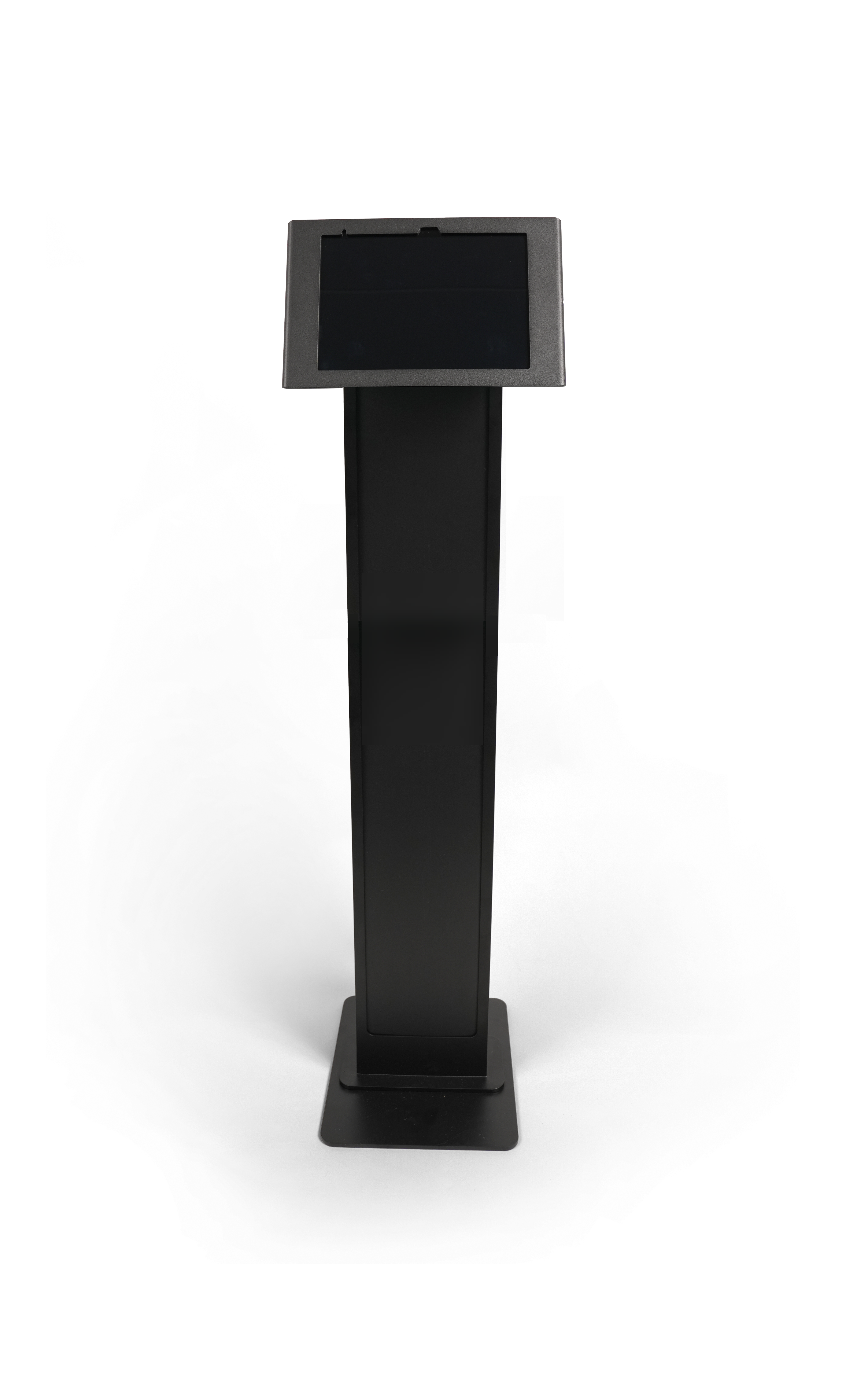
To simplify facility planning and hardware installation, you can review the technical
specifications, mounting patterns, and physical features of the ClearID Self-Service Kiosk floor
stand.
Depending on your check-in requirements, the ClearID Self-Service Kiosk iPad housing can be
configured on this floor stand for use in either Portrait or Landscape
mode.
Floor stand dimensions
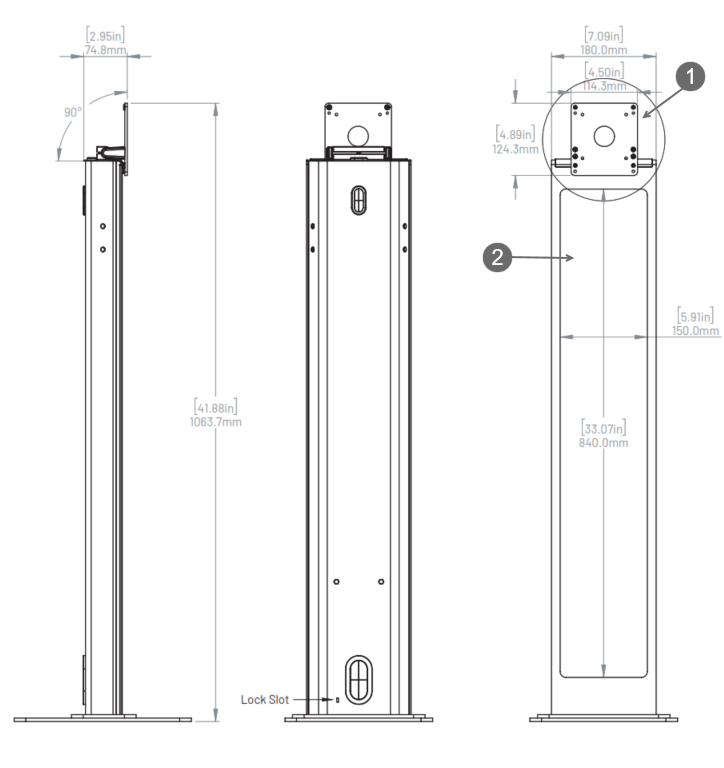
The following diagram illustrates the floor stand dimensions, including the height and
footprint of the stand.
1 Mount supports any tablet enclosure with a standard VESA mount (100mm x
100mm) or a 90° degree rotation adapter.
2 Removable signage panel (included).
Floor mount dimensions
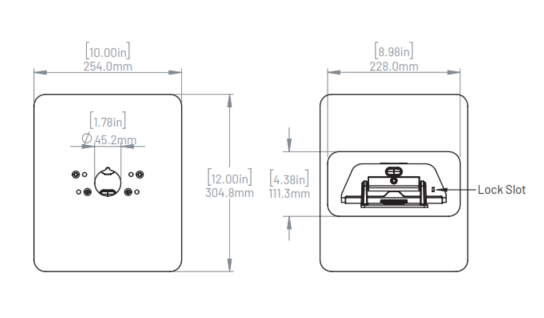
The following diagram illustrates the floor mount dimensions and underside view of the
kiosk floor stand.
Floor stand features
The floor stand includes the following features:
Free-standing or floor mount option.
The mount supports any tablet enclosure with a standard VESA mount (100mm x
100mm).
The enclosure mounting surface can be rotated 90°. This rotation function means that
the iPad housing can be oriented on this floor stand for use in either Portrait
or Landscape mode.
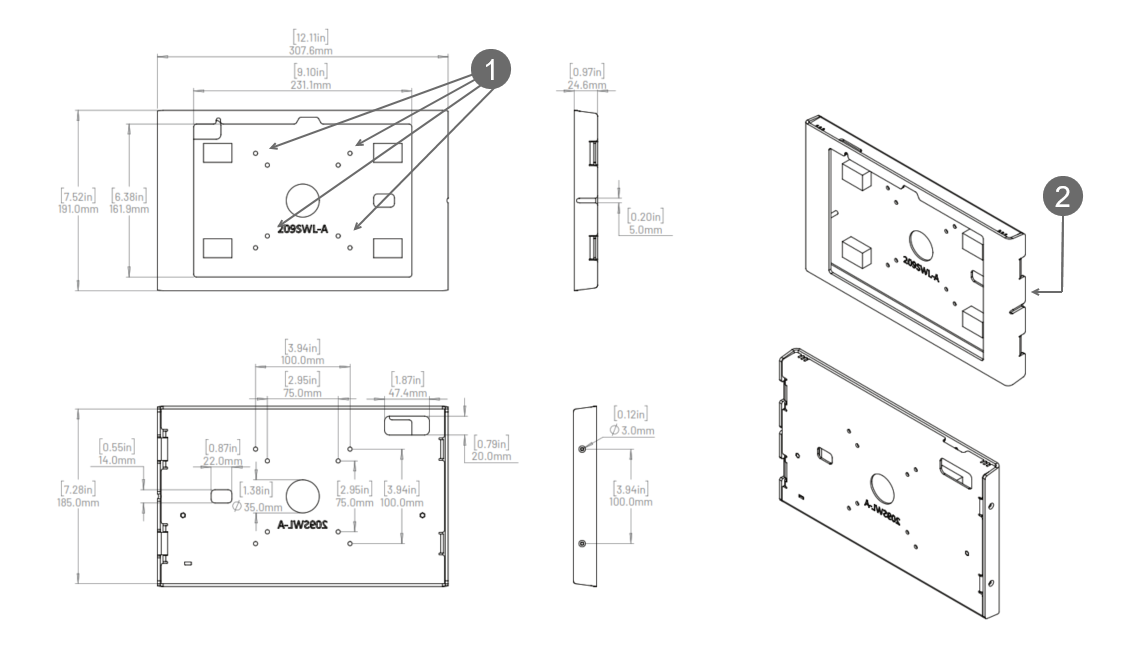
iPad enclosure dimensions
The following diagram illustrates the floor stand iPad enclosure dimensions.1Holes for mounting iPad enclosure to floor stand.