
About Self-Service Kiosk check-in
The Genetec ClearID™ Self-Service Kiosk check-in workflow streamlines visitor registration and credential issuance using multiple identification methods to provide secure site access.
Visitors can check in up to 1 hour before a visit event.
Scenario 1: Self-Service Kiosk check-in (paper badge)
Visitors scan the QR code from their invitation email, take a photo, and receive a printed badge. The badge includes their name and event details.
Scenario 2: Self-Service Kiosk check-in (cardholder credential)
Using Security Center, a receptionist can assign a credential to a Genetec ClearID™ visitor. Once checked in, the visitor can use their assigned card to access permitted areas while accompanied by their host.
Self-service check-in
The self-service check-in is intended for walk-in visitors and visitors who have been invited or pre-registered.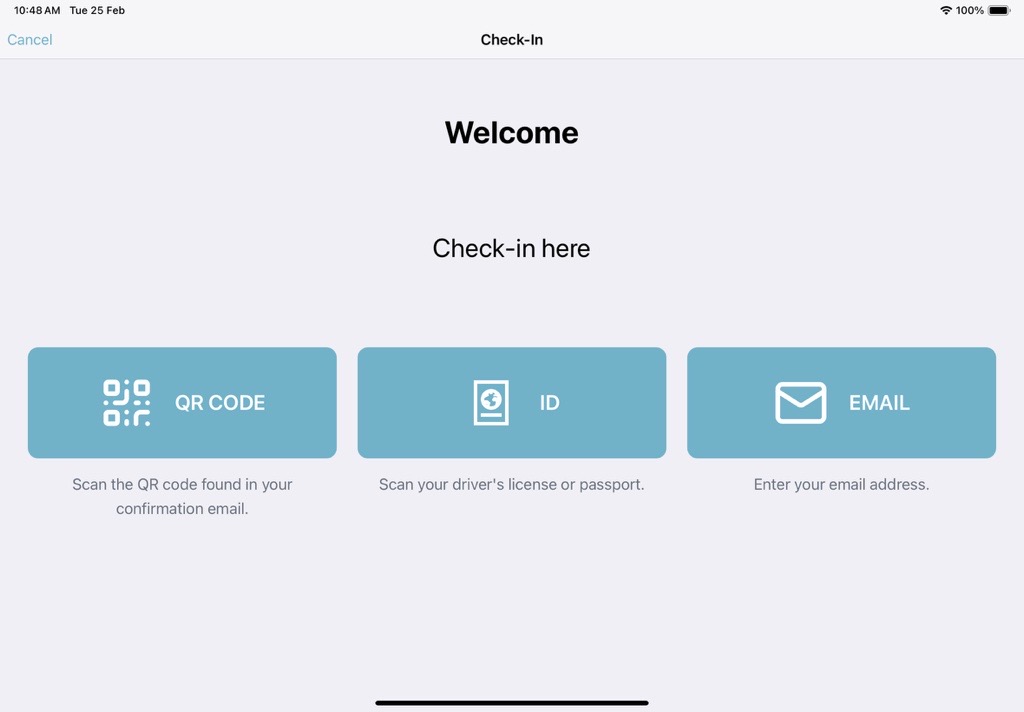
- QR code
- Government-issued ID
- Email address
- If duplicate names are found, the visitor selects their email from a list.
- If the QR code is not recognized, the kiosk prompts the visitor to check in using email.
- If an ID or email is not recognized, the kiosk offers the self-registration process.
The check-in choices displayed on the ClearID Self-Service Kiosk Welcome page can be customized to hide any options that are not relevant to your site or your visitor experience.