Automating visitor access and check-in using a
macro
2026-06-11Last updated
To automate visitor check-in and access at parking entrances or gated facilities,
configure a Security Center macro that runs when visitors present their Genetec ClearID™ QR
code credentials.
You can use
Security Center incident reports to view all visitor manual
access granted through this macro.
Import the source code from a file by clicking Import from
file, select the file containing the C# code, and then click
Open.
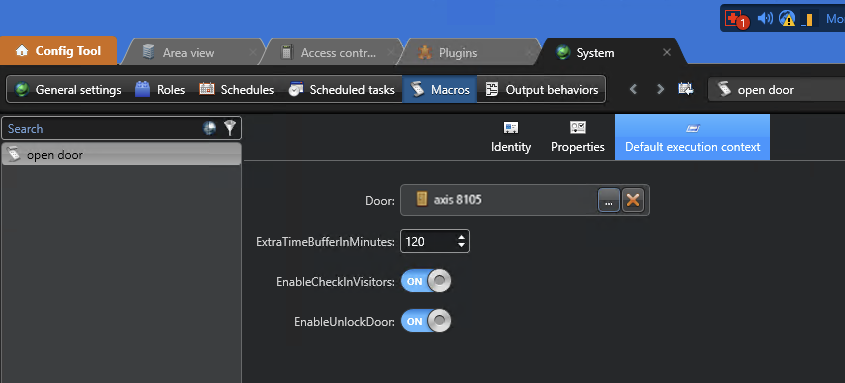
Click the Default execution context tab and configure
the settings as follows:
The door selected on the Default execution context
page relates to a specific parking entrance or gated facility entrance. When a
visitor presents their QR code, the macro is triggered to automatically provide
access for this door only.
Click Apply.
Click Run macros.
From the Config Tool homepage, open the System task and
click the Scheduled tasks
view.
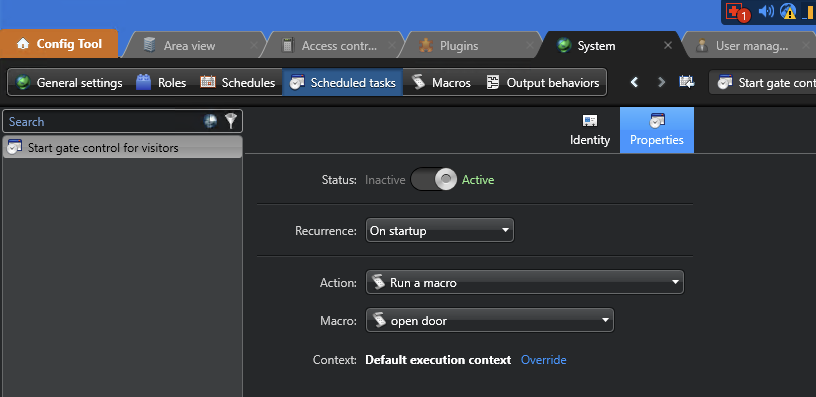
Click Scheduled task (), and enter a name.
Configure the Properties tab as follows:
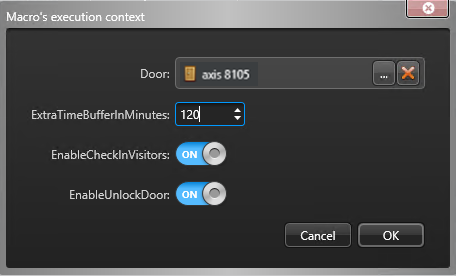
(Optional) In the Context section, click
Override to change the macro's execution
context:

 ) and
enter the macro name.
) and
enter the macro name.