2026-04-28Last updated
To define how group data flows between Microsoft Entra ID and Genetec ClearID™, you
must add your group configuration settings.
What you should know
You must be an Account administrator to edit Microsoft Entra ID group
configurations.
Procedure
-
In the ClearID web portal, click .
-
Select the Microsoft Entra ID configuration you want to configure.
-
In the Group configuration section, click
Configure.
-
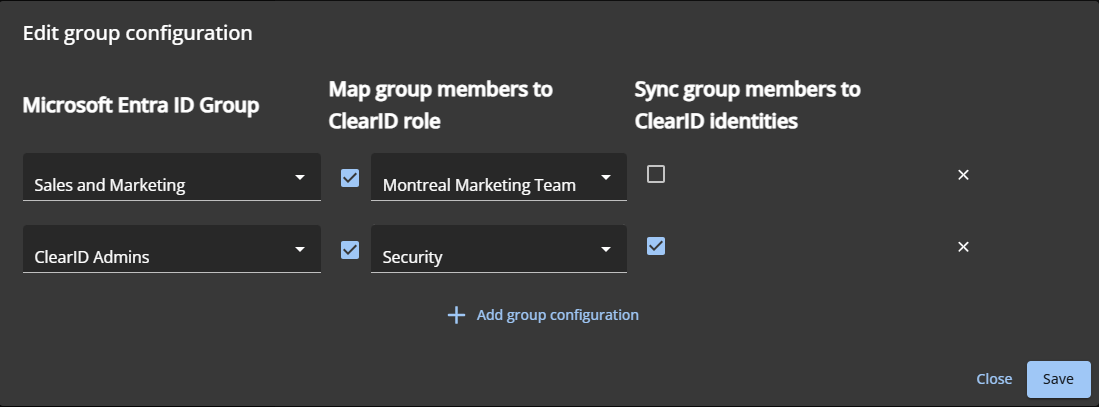
In the Edit group configuration dialog:
-
Click Add group configuration to add a row.
-
Under Microsoft Entra ID Group, select the group to
synchronize.
-
(Optional) Under Map group members to ClearID role, check the
box and select a role to assign group members to.
This maps group members to a role, but does not sync identity details.
-
(Optional) Under Sync group members to ClearID identities,
check the box to create or update corresponding ClearID identities.
This may create new identities if they don’t already exist.
-
Click Save.
After you finish
Define how individual user data flows into the system. This ensures the correct profile
attributes (such as names and departments) are imported for each person.