2026-04-22Last updated
To define how credential data flows between Microsoft Entra ID and Genetec ClearID™,
you must configure your credential mappings.
What you should know
You must be an Account administrator to configure Microsoft Entra ID credential
mappings.
Procedure
-
In the ClearID web portal, click .
-
Select the Microsoft Entra ID configuration you want to configure.
-
In the Credential mappings section, click
 .
.
-
From the Add facility code and card number list, select the
mapping type:
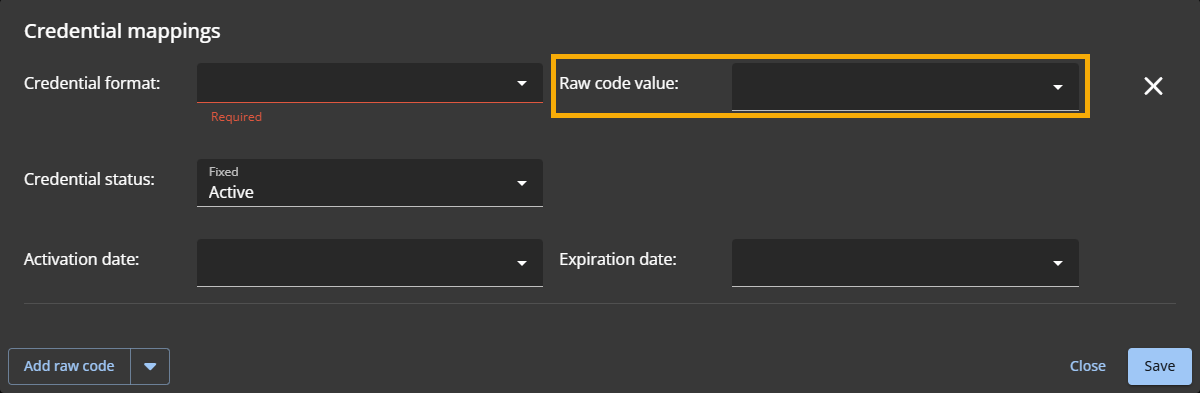
- Raw code
- Maps a single raw credential value.
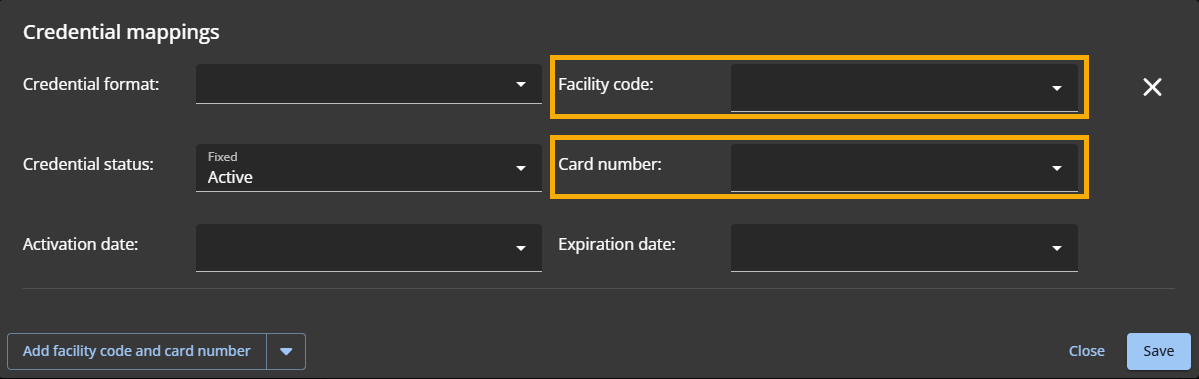
- Facility code and card number
- Maps both values from Entra ID attributes.
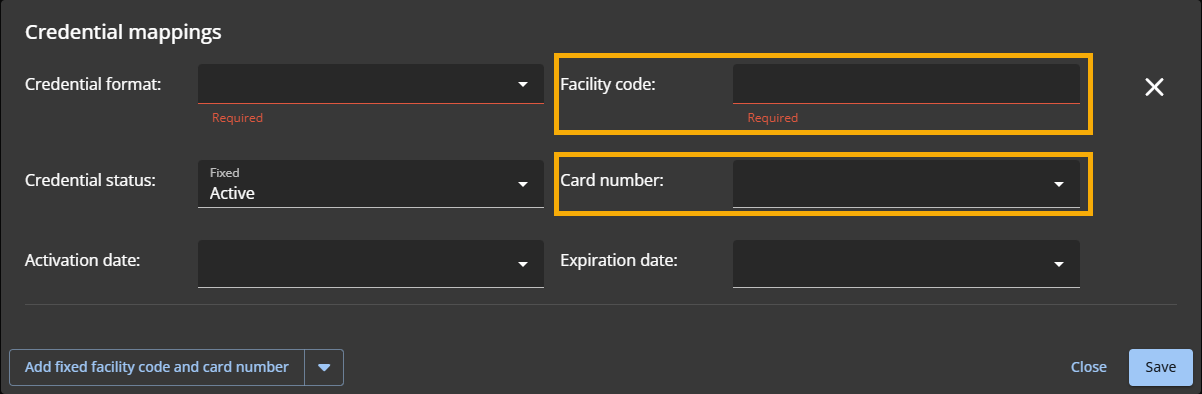
- Fixed facility code and card number
- Uses a fixed facility code and maps the card number from Entra ID.
-
From the Credential format list, select a supported credential
format:
- Standard 26 bits
- HID H10306 34 Bits
- HID H10302 37 Bits
- HID H10304 37 Bits
- HID Corporate 1000 35 Bits
- HID Corporate 1000 48 Bits
- CSN (32 bits)
-
Complete the mapping fields based on the mapping type:
- Raw code
- Select the Microsoft Entra ID attribute for the raw code.
- Facility code and card number
- Select the attribute for each: Facility code and Card number.
- Fixed facility code and card number
-
- Enter the fixed Facility code.
- Select the attribute for the Card number.
-
From the Activation date list, select the Microsoft Entra ID
attribute that corresponds to the credential's activation date value.
-
From the Expiration date list, select the Microsoft Entra ID
attribute that corresponds to the credential's expiration date value.
-
Click Save.
After you finish
Define your overarching automation rules and trigger the initial synchronization to
pull your users into ClearID.
