
About nested areas
In Security Center, nested areas can be used to logically group areas so that access can be automatically granted to people for associated nested areas when access is requested in Genetec ClearID™ for one of the nested areas.
- Example 1: Requesting access to a server room might automatically grant access to the floor that the server room is on.
- Example 2: Requesting access to a restricted area might automatically grant access to the floor the restricted area is on, and also grant access to the building that the floor and restricted area are in.
In Config Tool, nesting areas using Parents or Children options in the Relationships section of the Area view do not inherit access.
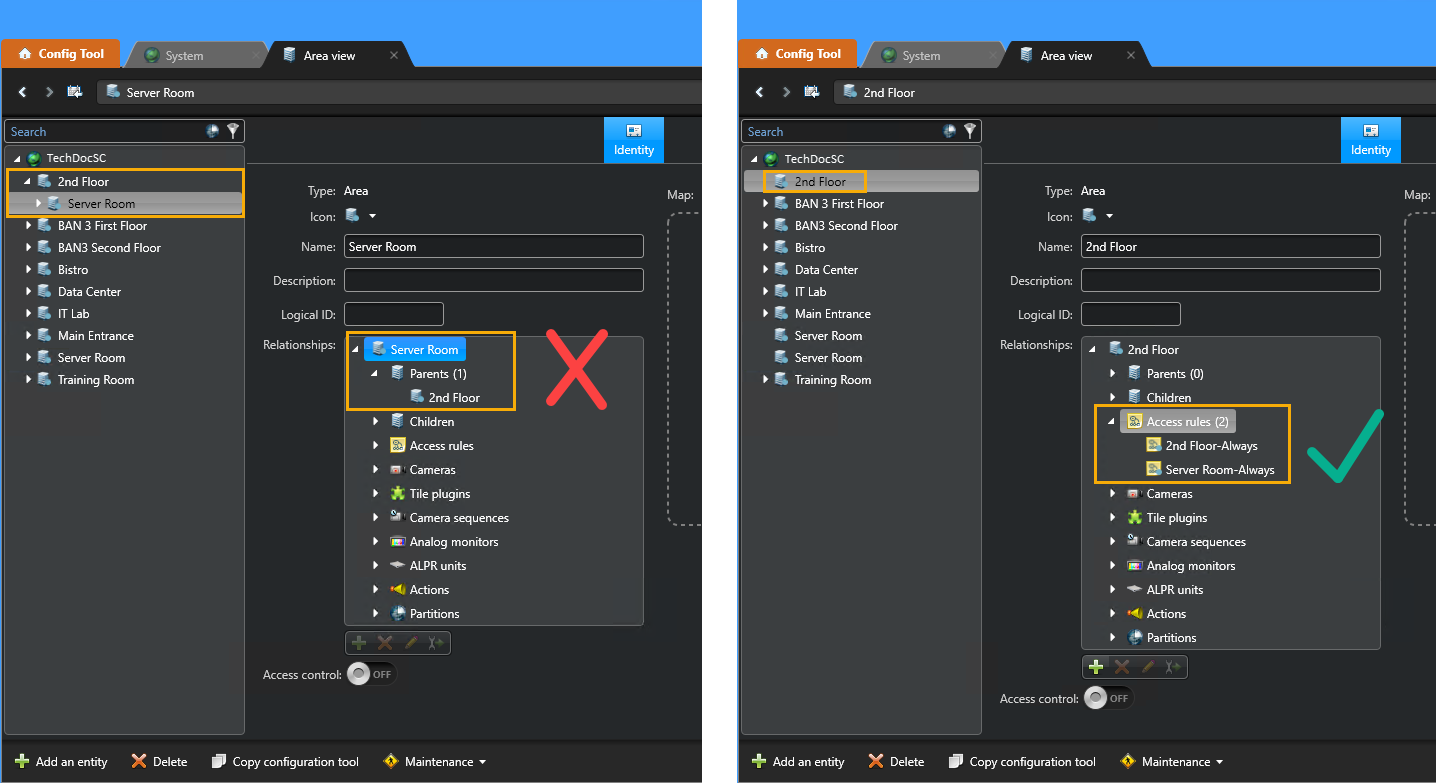
Adding multiple access rules to an area creates the logical group association for nested areas. This relationship association ensures that the areas automatically grant access to the other associated areas when access is requested for one of the nested areas. By default, ClearID automatically creates access rules for each schedule that is added to an area.
If the schedules for any of the nested areas change, the area relationships (access rules) must be configured again.