
Creating exceptions to the access request approval workflow
2026-05-06Last updated
To bypass standard approval processes and auto-approve specific roles or request types, Site owners or Area owners can create exceptions to the access request approval workflow in Genetec ClearID™.
What you should know
- Every access request for an area must go through the approval process defined by that area's workflow.
- Certain roles or users (like VIPs, Upper Management, or supervisors requesting for team members) can bypass the approval steps and have their requests auto-approved.
Procedure
-
Under Access request approval workflow settings, select the roles
that can bypass approval:
If the request approval workflow is set to Automatic approval, the Access request approval workflow settings section is hidden.
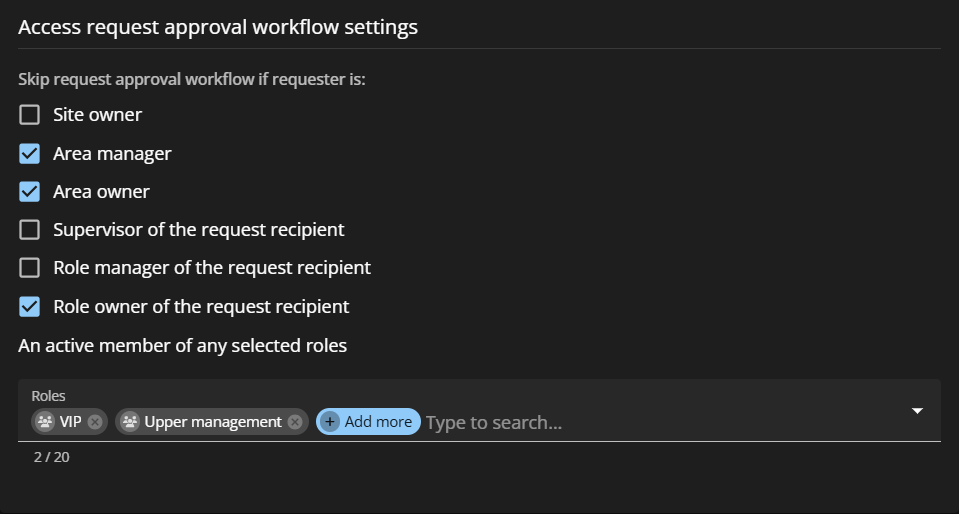
- Site owner
- Area manager
- Area owner
- Supervisor of the request recipient
- Role manager of the request recipient
- Role owner of the request recipient
- An active member of an selected role