2026-04-16Last updated
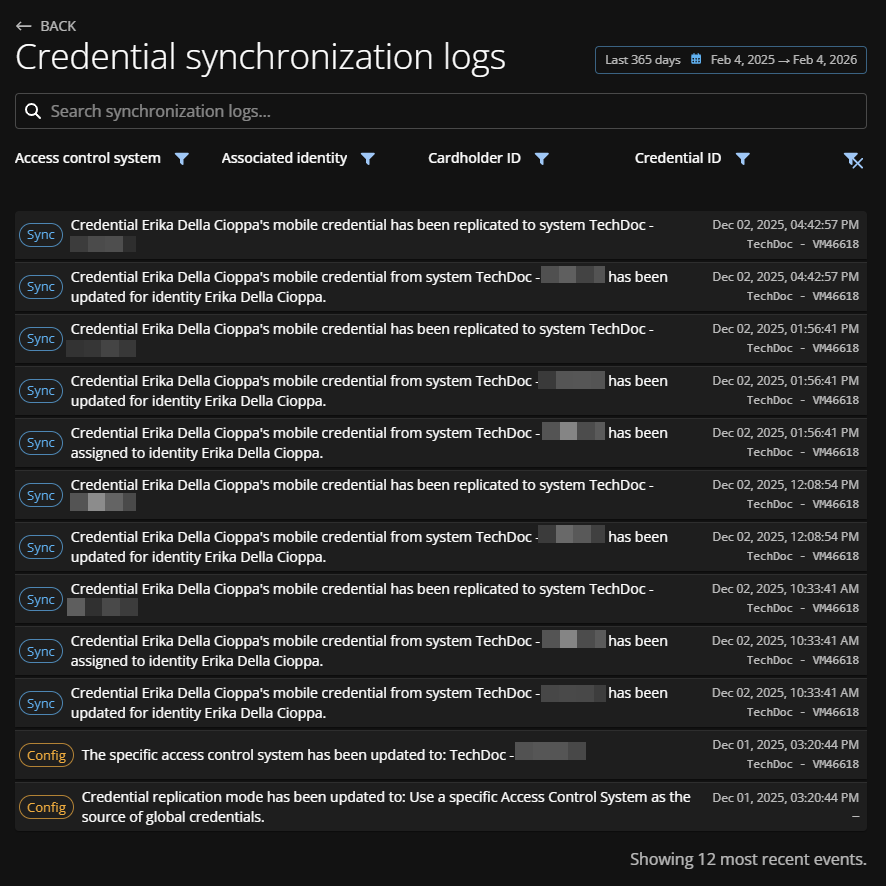
To check credential synchronization status or to review detailed information about the
audit trail activities for all events related to credentials, view the credential
synchronization logs in Genetec ClearID™.
What you should know
Only an account administrator can view the credential synchronization logs.
Procedure
-
From the homepage, click .
-
In the Credential synchronization logs section, click
View logs.
-
Select a date option or set a custom range.
-
(Optional) Search for specific activities using keywords.
-
Use the remaining filters as needed:
- Access control system
- Search for or select an ACS system.
- Associated identity
- Filter the results by identity name or email address.
- Cardholder ID
- Filter by unique cardholder IDs in alpha-numeric HEX value format. For example,
29abdafb-f124-401a-b143-3c88556ec3c1.
This filter is
useful for users who primarily work with the information from Security
Center.
- Credential ID
- Filter by unique credential IDs in alpha-numeric HEX value format. For example,
fc6e4851-f429-40e5-bbe7-ba363c5cad1a.
-
Click
 to reset
the filters.
to reset
the filters.